BryanMcPhail.com

Professional software development, amateur BMW tinkering, old arcade game stuff

By

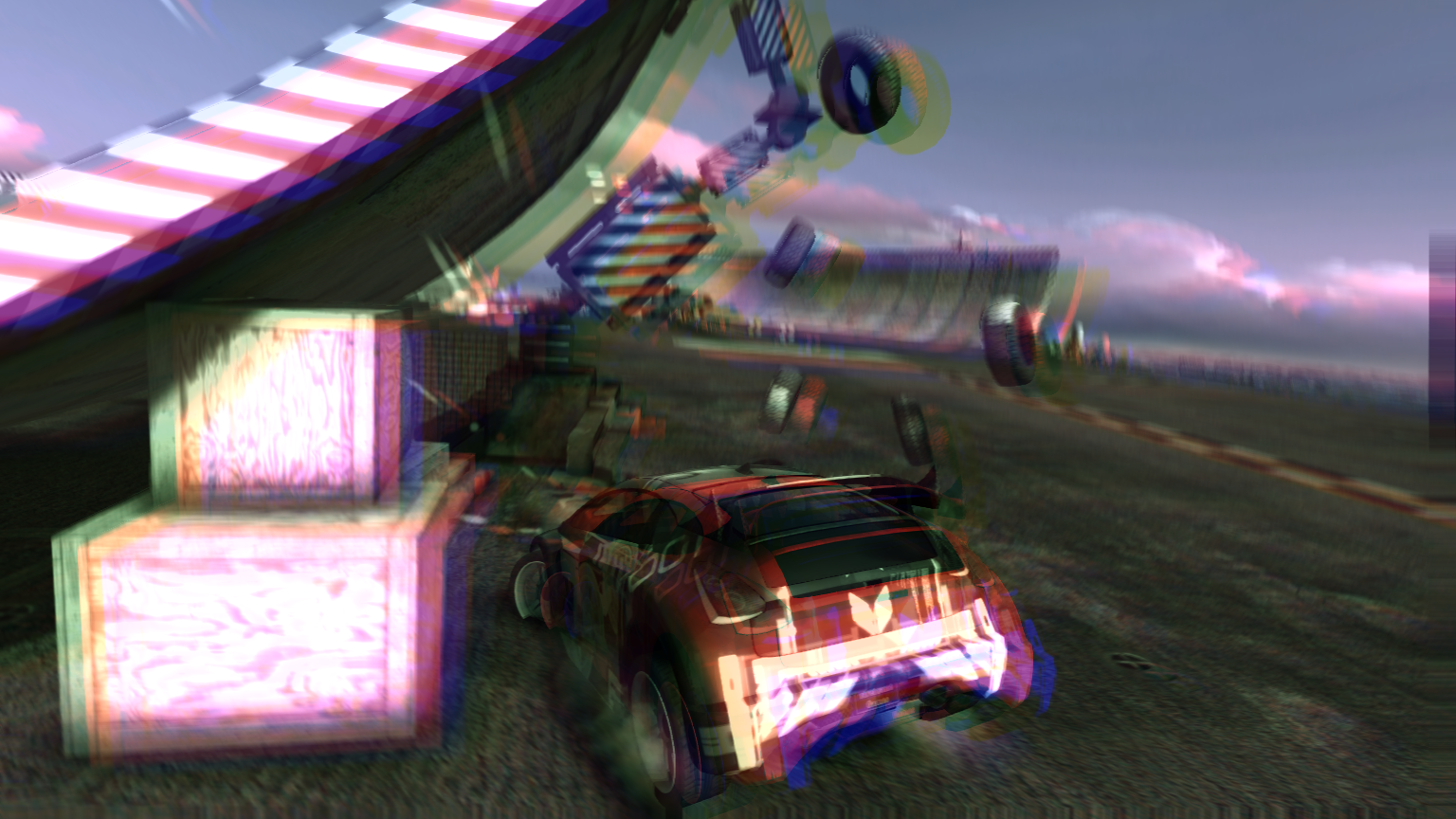
Velocity Blur

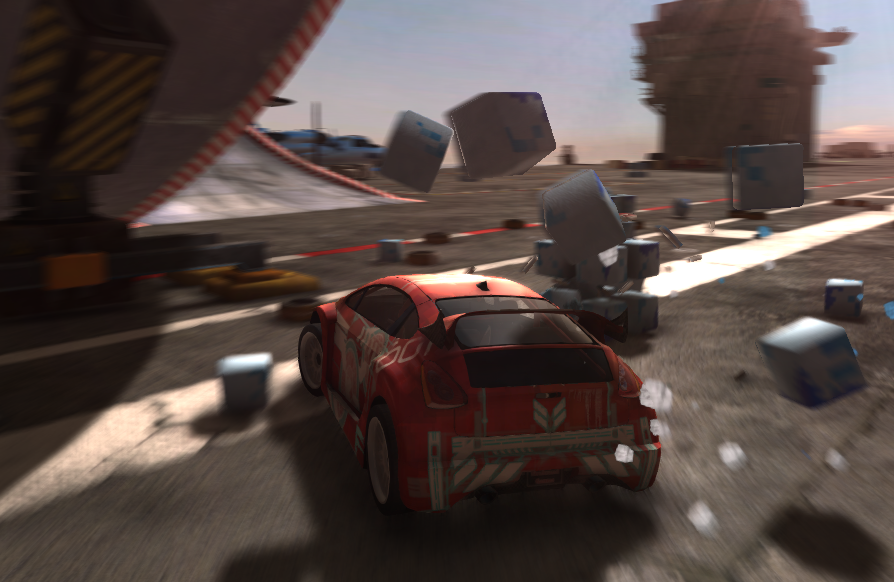
Per pixel velocity blur by reconstructing world space before and after positions using the depth buffer was I technique I first noticed in GPU Gems 3.  http://http.developer.nvidia.com/GPUGems3/gpugems3_ch27.html

I suspect some people will say this method has no place in modern rendering, but I don’t have much time for comments like that – this, and other old school techniques, are still very valid and useful in certain situations and can often offer a performance benefit over more ‘correct’ techniques.  In particular as mobile devices become more powerful rendering techniques from PS3/360 come around again.
blur2


The technique works as a post process which requires the depth buffer as input as well as the rendered frame buffer.  The projected (screen-space) X/Y position from 0 to 1 is combined with the depth value for that pixel in the shader.  If we then apply the inverse of the ‘view projection’ matrix for the current frame, we get back a world-space position for the on-screen pixel.  If we then apply the ‘view projection’ used by the camera in the previous frame – we get the screen-space position of where that world-space point was in the last rendered frame.  Now we have a before and after we can compute the 2d direction the pixel traveled over the two frames and we can blur the current frame buffer in that direction to simulate motion blur.  What a neat trick!  Here is a snippet of HLSL that may explain it better:

float sceneDepth = depthTexture.Sample(pointSamplerClamped, IN.uv).r;
float4 currentPos = float4((1-IN.uv.x)*2-1, (1-IN.uv.y)*2-1, sceneDepth, 1);
float4 worldPos = mul(currentPos, g_invViewProjMatrix);
worldPos /= worldPos.w;
float4 previousPos = mul(worldPos, g_viewProjMatrixPrev);
previousPos.xy /= previousPos.w;
float2 velocity = (currentPos.xy - previousPos.xy) * g_velocityBlurParams.xy;

It’s far from a perfect technique though – if you find your ‘before’ position is off-screen then you don’t have correct information along your blur path.  It also assumes everything is blurred based on camera velocity alone.  If an object is travelling at equal velocity to the camera then it should not blur at all, likewise an object travelling towards the camera would be more blurred than it is with this method alone.  The fact the blur is computed in 2d also leads to noticeable artifacts when the camera is rotating and the angular motion is not in the velocity direction.

As I said at the start though, in some cases those restrictions can be worked around and you get the performance benefit of this method versus a per object velocity buffer or other expensive method like geometry fins.  Racing games in particular benefit as the camera is often tracking straight ahead and you can dampen the effect on rotation to lessen artifacts.  In a racing game the camera is also usually locked to the player vehicle – which is travelling at roughly the same velocity as the camera.  In this case you can mask out the pixels covered by the player car so they do not blur at all and have a perfectly in focus player car whilst the landscape blurs.  In DX9 and GLES2 I’ve used a render to texture for the masked objects and passed that as an input to the post-process, but in DX11/GLES3 it can be cheaper to use the stencil buffer to mask out these interesting objects and then pass that to the post-process as in DX11 you can bind a ‘read only’ stencil buffer to the pixel shader whilst keeping it active in the pipeline.

You can also use the stencil buffer for optimization in the post-process – essentially pixels in the sky can be considered ‘infinite depth’ because they are so far away they will never blur based on camera velocity.  So by setting the stencil buffer up as bitfields – sky as 0×80, player as 0×40, dynamic landscape as 0×20, static landscape as 0×10, etc, you can cull all sky pixels and player object pixels by rejecting >=0×40.  This will probably save 50% of the pixel shader cost on average.

blur1

By

Unreleased Game – Drift 2015

Drift was an internal prototype from around 2010 on Xbox 360 and PS3. It was a fun stunt based vehicle game and later led to the commercial development of Hot Wheels Worlds Best Driver. In 2014/15 though, I used this code-base as a test-bed for updating the Octane engine for DirectX 11 (all previous released titles on PC were DX9) and PS4/Xbox One. (PS4 used GNMX on top of GNM). The art team used it as a test-bed for creating PBR textures and materials using packages such as Substance Designer and Quixel Suite.

Of course, in the days of Unreal and Unity providing PBR there’s nothing particularly technically advanced here, but doing everything from first principles as it were is quite satisfying. I took some screenshots at the time which look quite nice. I also re-used some ‘last gen’ effects such as crepuscular rays and per pixel velocity blur, but with the more powerful hardware was able to ramp up the number of samples per pixel so they look so much nicer!

shot5

shot6

shot7

shot8

shot9

shot4

shot3

shot2

shot1

By

Unreleased Game – Machine

This game was an internal project on Nintendo Wii circa 2009 that never went anywhere after the initial prototype.  I thought I would post some pics of it here in case anyone that worked on it would like to smile and remember it.  Or maybe grimace.  The hook of the game was driving and destruction and your vehicle would power up during the level from bike, to car, to truck to flying machine.  Even though the flying machine was the fastest it usually felt the slowest – because you weren’t connected to the road, and things weren’t moving past you at close distances.  Sonic All Star Racing Transformed done the exact same thing in 2012, and although the game was very popular, I felt the flying sections there were also very boring compared to the driving.

Looking at the screenshots now, there seems to be an amazing lack of contrast in the level lighting – maybe we all had our monitors set super dark and it seemed ok at the time!

Machine_LOGO

screenshot_001 screenshot_009 screenshot_021 screenshot_024 screenshot_025 screenshot_026 screenshot_046

By

Deferred lighting mixed with forward rendering

I happened to find this random image on my hard drive and thought it may be worth a post. It shows using deferring lighting on top of a prelit forwarded rendered scene.

deferred

Now, this is not a discussion about whether deferred lighting or forwarding rendering is best! That choice depends on a lot of things, particularly how your artists can generate the best art, and the style of the game. In this case, the game had already been created with a forward render in mind, and all landscape art was prelit with static generated shadows, etc. The only dynamic lights required for the game were explosions. One solution is to have shader variants such that all of the prelit shaders can accept a light and render them in the usual order (opaque, alpha test, transparent, etc). The alternate solution shown here is deferred post-fx lighting on top of the prelit scene by using additive blend just to ‘add’ onto what is already there. It’s not mathematically correct, but it’s fast and good enough for fast moving lights like explosions!

Unlike full deferred lighting, this hack doesn’t need an albedo buffer so it can be quick to add into an existing forward setup. You still need the depth buffer, but it’s probably around anyway for use in soft particles, or other effects. You also need the normal buffer which on PS3 and PC was generated via multiple render targets in the one pass, but on Xbox 360 and WiiU it was generated at half size in a unique render pass for performance.

So with depth buffer & normal buffer the shader can reconstruct a world space point & normal for each pixel on screen and use that to add light as a post-process.

By

Lost game – 2 Days to Vegas

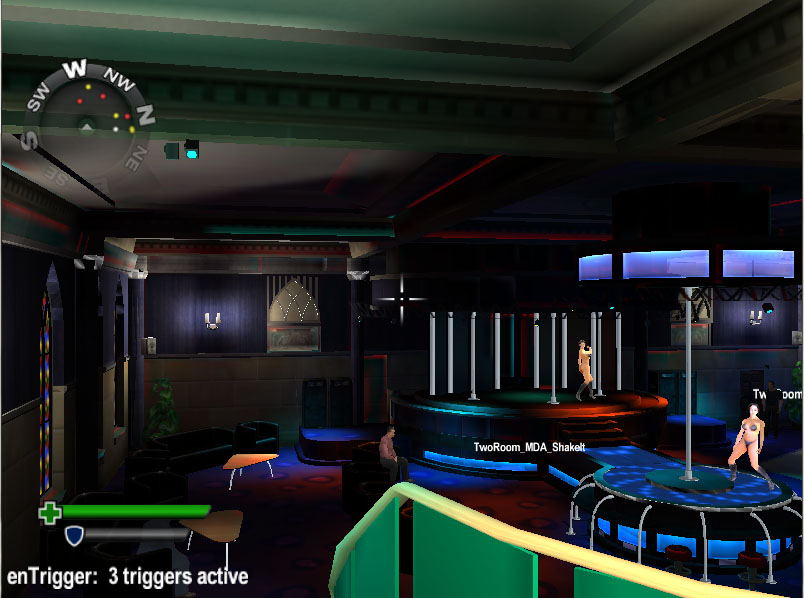
2 Days To Vegas was a concept developed by Steel Monkeys initially for PS2 around 2003/2004.  Mostly influenced by Grand Theft Auto it was crime themed with vehicles and characters.  First pitched as a third person game, it was reduced to first person because of animation cost.

2dtv1

The game was ambitious planned with a brand new engine, new editor, new fx, voice overs, multi-layer streaming audio, and much more.

2dtv2


With perhaps 6 senior programmers assigned to tech, some things were technically very good indeed. The editor was what would become a standard editor in the PS3/360 era – an interface to a running instance of the game – where the designer could just ‘drop in’ objects, assign them physics, etc. I wrote what was called the ‘XML transport layer’ – the editor could request all sorts of information from the game runtime, and then inject all sorts of things back. This used TCP/IP (using the PS2 network adaptor) for live work, but the instruction sequence could be ‘baked down’ to files so levels were constructed using the same code-path when the editor wasn’t present.


2dtv3

Unfortunately only 2 coders or so over that time period were assigned to gameplay.. coupled with some poor art assets and limited design resources the demo designed to pitch the game at E3 that year just wasn’t very playable. Publishers are rarely interested in tech alone with a good game to go with it, and this demo was all tech, no game! The game wasn’t picked up and the company folded a month later (ironically the game improved a lot in that last month – but too late!)

By

Lost game – Point Of Attack

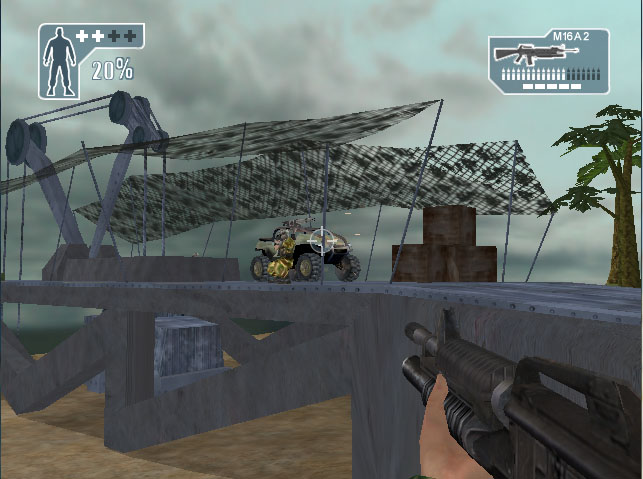
Point of Attack aka Outlanders was a concept developed by Steel Monkeys around 2003. Perhaps a little too influenced by Halo it was one of the very first games to combine FPS with vehicles. That probably seems strange now but back then FPS games were very distinct from vehicle based games.

poa1

I worked on the engine and I remember doing game audio, HUD, particle effects and logic for the start of level drop ship and end of level helicopter.

poa4

The game pioneered a lot of post-processing effects that again are very common day but were ground breaking around 2002/2003.  Depth of field, bloom, motion blur, colour grading and ‘fingers of god’ which was a heavy bloom buffer with feedback causing the bloom to stretch & seep over multiple frames.

And none of them appear to be turned on in the screenshots I found!  It looked a lot better at the time.

poa3

The game was Xbox based, and unfortunately it was pitched around the time the PS2 was becoming the dominant console of that era.  With no publisher on-board the game was cancelled.

poa2


By

Lost game – Fear Factor Unleashed

Fear Factor Unleashed was a project for PC, Xbox and PS2 based on the Fear Factor tv show.  The time scale for the project was very short and the company had no existing cross-platform tech so the decision was taken to use the Renderware middleware.  At the time Renderware had a good reputation as it had been used in GTA 3 and Burnout.  It soon became clear though that GTA 3 and Burnout must have had a lot of programmers working on the engine, because what was in the base Renderware was not very impressive at all.  It’s no exaggeration to say we could have built our own PS2/Xbox/PC tech in the time taken working around Renderware problems or unimplemented features.

ff3 ff2 ff1

Regardless the game featured a mix of 3rd person platforming levels, vehicle based levels and special button press ‘eating’ levels to match the TV show.  It certainly wasn’t a triple A game, but was certainly competitive with other mid-range PS2 titles from around that time.  The game was never released as the publisher went bankrupt and although a few other publishers were interested nothing came of it.

ff6 ff5 ff4

There was some nice graphics tech in the game, such as heat hazes, render to texture effects, projected lights, reflective water on Xbox/PC and blur/disorient post-fx for when your ‘fear meter’ got too high!  I was the lead on the Xbox platform, but as it was only a small team (5 programmers total, later 4) I done a lot of work on PS2 and PC as well.  In particular I remember working on character collision detection – using a swept ellipsoid representing the character against the landscape triangle mesh.  Swept means you are colliding over time as well as 3d space – so you find out what position in the timestep a potential collision would occur.  There is a neat trick to swept ellipsoid detection – imagine transforming the world triangles by the inverse of the ellipsoid – so that if the ellipsoid was a perfect sphere the world is now ‘squashed’.  Then transform the triangles around the direction you are sweeping in (imagine looking down the movement direction defined and seeing the triangles in front you – essentially a barycentric space).  So now your ellipsoid is just really a 2d sphere looking at oncoming triangles – simply solve triangle versus sphere for every triangle and you have all your collision points!  (Testing vertex to be inside or outside of sphere, then line versus circle for each edge of the triangle).  The ‘depth’ in this space essentially gives the ‘time’ of collision, and you can just transform the results back to world space position & time step proportion when done.

ff10 ff8 ff9